



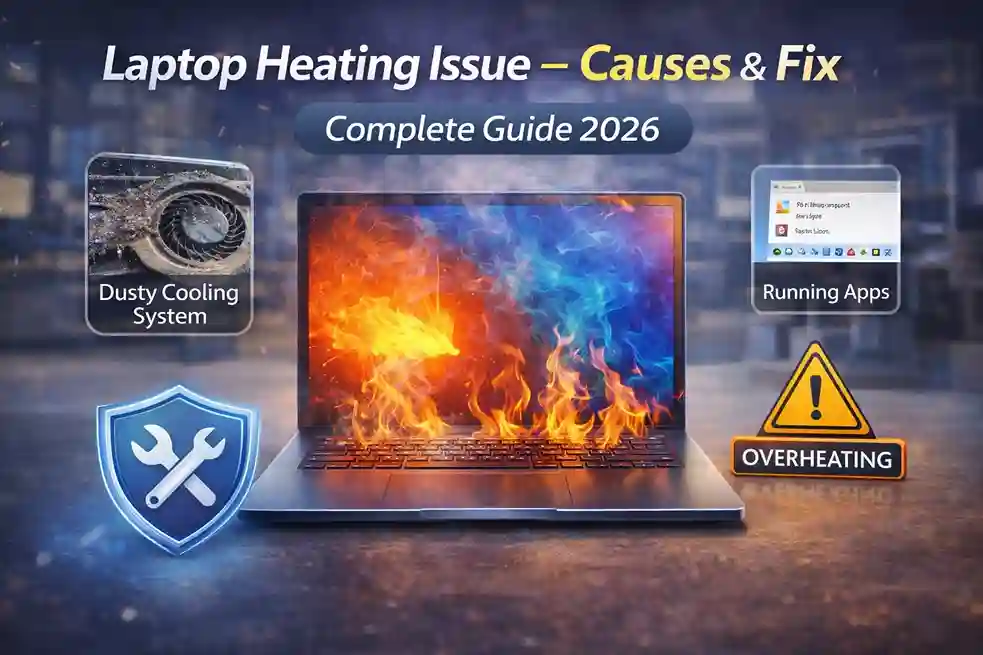
Laptop heating issue is one of the most common problems faced by users in Pakistan. Whether you are using a laptop for office work, gaming, online classes, or call center operations, overheating can slow down performance, damage internal components, and reduce battery life. Many people think heating is normal, but excessive heat is a sign that something needs attention.
This guide will help you understand why laptops overheat, how to fix heating issues, and how to prevent them in the future with simple and practical solutions.
Why Do Laptops Overheat? – Main Causes
1. Dust in Fans & Air Vents
Dust blocks airflow inside the laptop. When air cannot pass properly, heat gets trapped and the processor temperature rises quickly.
2. Old or Dried Thermal Paste
Thermal paste transfers heat from the processor to the heatsink. With time it dries out, causing poor heat dissipation.
3. Heavy Software & Multitasking
Running many applications, Chrome tabs, AI tools, or design software increases CPU and RAM usage which results in heating.
4. Poor Ventilation
Using a laptop on a bed, sofa, or cushion blocks the bottom vents and stops cooling.
5. Faulty Fan
If the fan is slow, noisy, or not working, the laptop will heat within minutes.
6. Malware or Background Processes
Viruses can push CPU usage to 100% without you noticing.
7. Old HDD Instead of SSD
Traditional hard drives generate more heat compared to modern SSDs.
Signs of Laptop Heating Problem
- Laptop becomes very hot near keyboard
- Fan noise becomes loud
- System becomes slow or hangs
- Sudden shutdowns
- Battery drains fast
- Keyboard area feels uncomfortable to touch
How to Fix Laptop Heating Issue – Practical Solutions
1. Clean the Laptop Internally
Professional cleaning removes dust from:
- Cooling fan
- Air vents
- Motherboard
- Heatsink
This alone can reduce temperature by 10–15°C.
2. Replace Thermal Paste
Applying high-quality thermal paste greatly improves heat transfer and performance.
3. Upgrade to SSD
SSDs generate less heat and improve speed. Many heating issues reduce after moving from HDD to SSD.
4. Increase RAM
Low RAM causes CPU overuse. Upgrading RAM helps smooth performance and reduces heat.
5. Use Cooling Pad
A laptop cooling pad improves airflow especially for call centers and long office shifts.
6. Update Drivers & BIOS
Outdated drivers can cause power mismanagement leading to overheating.
7. Avoid Blocking Air Vents
Always use the laptop on a flat surface like table.
Best Practices to Prevent Laptop Heating
- Do not use laptop on bed or pillow
- Clean laptop every 6 months
- Use original charger
- Close unnecessary apps
- Keep room temperature moderate
- Use power plans correctly
- Avoid direct sunlight
Laptop Heating in Call Centers & Offices
In Pakistan, call centers and corporate offices use laptops for 8–12 hours daily. Continuous usage with headsets, CRMs, and multiple browsers makes laptops heat quickly. For such environments:
- Prefer laptops with SSD & 16GB RAM
- Use cooling pads
- Ensure proper ventilation
- Choose business series like:
- Dell Latitude
- HP EliteBook / ProBook
- Lenovo ThinkPad
These models are designed for long-hour workloads.
When to Visit a Technician?
If you notice:
- Sudden shutdowns
- Burning smell
- Fan not spinning
- Extreme lag
then professional service is required immediately.
Why Upgrade Instead of Repair Again & Again?
Old generation laptops with HDD and low RAM heat more. Upgrading to:
- NVMe SSD
- Additional RAM
- New battery
- Business series laptops
is a long-term solution for offices and students.
Why Buy from HCOM Distributors?
- Genuine laptops, SSDs & RAM
- Official & local warranty
- Dell, HP & Lenovo authorized products
- Bulk solutions for call centers
- Professional upgrade services
- Best IT hardware supplier in Lahore
If you need SSD, RAM, cooling pads, or new business laptops, HCOM Distributors provides original products with expert guidance for offices, students, and call centers.
Final Words
Laptop heating is not a small issue. Ignoring it can damage motherboard, battery, and processor. With proper cleaning, upgrades, and usage habits, you can keep your laptop cool and fast for years.
Tags / Keywords Used: laptop heating issue fix, laptop overheating solutions, laptop fan noise fix, laptop heating problem Pakistan, SSD reduce laptop heating, laptop cleaning service Lahore, business laptops for call centers, Dell HP Lenovo heating issue, laptop cooling pad Pakistan, laptop temperature high fix

