




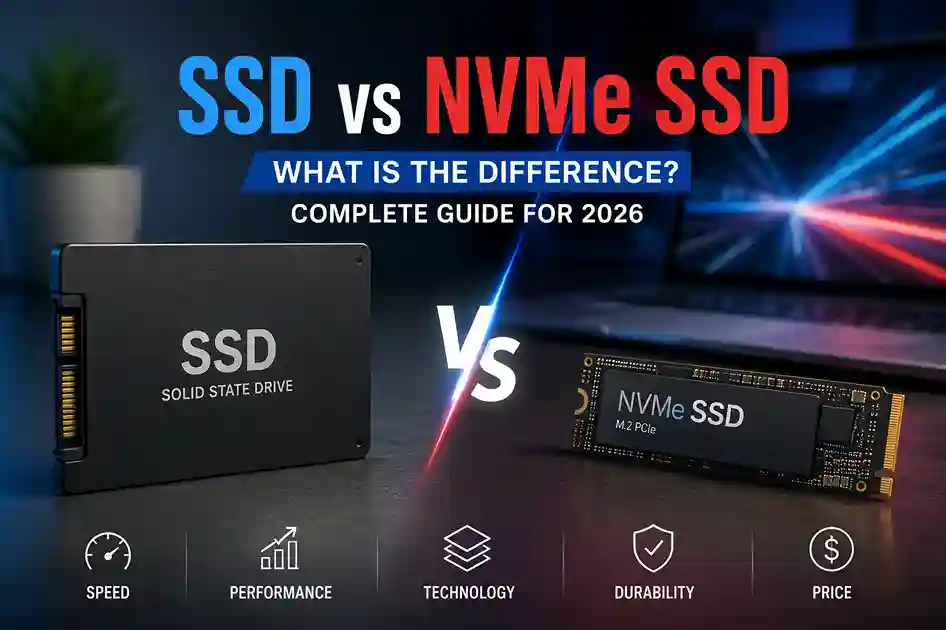
Choosing the right storage device can make a noticeable difference in your computer’s speed, boot time, application performance, and overall responsiveness. With traditional SATA SSDs and faster NVMe SSDs now widely available, many users are unsure which option is better for their laptop or desktop.
Both are much faster than traditional HDDs, but SATA SSD and NVMe SSD use different technologies and interfaces, which affects their performance, compatibility, and use cases.
In this guide, we’ll explain SSD vs NVMe SSD, their differences, advantages, disadvantages, and which one you should choose for gaming, business, programming, video editing, and everyday use.
What Is an SSD?
SSD stands for Solid State Drive. Unlike traditional hard disk drives (HDDs), SSDs have no spinning disks or mechanical moving parts. They store data using NAND flash memory.
Because there are no moving components, SSDs offer:
- Faster boot times
- Faster application loading
- Better system responsiveness
- Lower power consumption
- Silent operation
- Better resistance to physical shocks than HDDs
When people say “SSD,” they may be referring to several different types of storage. The most common older SSD interface is SATA, while modern high-performance drives commonly use NVMe over PCIe.
What Is a SATA SSD?
A SATA SSD uses the SATA (Serial ATA) interface to communicate with the computer.
SATA SSDs are commonly available in the 2.5-inch form factor, although some M.2 drives also use the SATA interface.
A typical SATA SSD can deliver sequential read/write speeds around 500–550 MB/s, depending on the model and workload.
Advantages of SATA SSD
- Much faster than HDD
- Usually affordable
- Wide compatibility
- Available in 2.5-inch and M.2 formats
- Good for everyday computing
- Easy upgrade for older laptops and desktops
For office work, web browsing, document management, and general use, a good SATA SSD can still provide a significant improvement over an HDD.
What Is an NVMe SSD?
NVMe stands for Non-Volatile Memory Express.
NVMe is a storage protocol designed specifically for high-speed flash storage. Instead of using the older SATA interface, NVMe SSDs generally communicate through PCI Express (PCIe).
Most modern NVMe SSDs are available in the compact M.2 2280 form factor.
Depending on the generation and model, NVMe SSDs can provide significantly higher speeds than SATA SSDs.
For example:
- SATA SSD: roughly up to 550 MB/s
- PCIe 3.0 NVMe: roughly 3,000–3,500 MB/s
- PCIe 4.0 NVMe: roughly 5,000–7,400 MB/s
- PCIe 5.0 NVMe: can exceed 10,000 MB/s on suitable drives
Actual performance varies by SSD model, controller, NAND type, workload, thermals, and the PCIe interface supported by the computer.
SSD vs NVMe SSD: Key Differences
The biggest difference between a SATA SSD and an NVMe SSD is how the drive communicates with the computer.
| Feature | SATA SSD | NVMe SSD |
|---|---|---|
| Interface | SATA | PCIe |
| Protocol | AHCI | NVMe |
| Common Form Factor | 2.5-inch / M.2 SATA | M.2 |
| Typical Sequential Speed | Up to ~550 MB/s | Several GB/s |
| Latency | Higher | Lower |
| Performance | Fast | Very fast |
| Best For | Everyday computing & upgrades | Gaming, editing, professional workloads |
| Compatibility | Very broad | Requires NVMe/PCIe support |
| Power Efficiency | Generally good | Varies by model |
| Price | Often affordable | Wide range depending on generation |
SATA SSD vs NVMe SSD Speed
Speed is one of the biggest differences between these storage technologies.
A SATA interface has a practical bandwidth ceiling of around 550 MB/s for SSD storage.
NVMe drives use PCIe, which provides considerably more bandwidth.
For example, a PCIe 4.0 NVMe SSD can offer sequential speeds several times higher than a SATA SSD.
However, this does not mean your computer will always feel several times faster.
For everyday tasks such as:
- Opening Chrome
- Working in Microsoft Office
- Starting Windows
- Opening small applications
- Managing documents
the difference between a good SATA SSD and NVMe SSD may not feel dramatic.
The advantage becomes more noticeable during heavy storage workloads.
Does NVMe Make a Laptop Faster?
Yes, but the improvement depends on what you do with the laptop.
If you are upgrading from an HDD to an NVMe SSD, the difference can be enormous.
If you are upgrading from a SATA SSD to an NVMe SSD, the improvement may be smaller during normal everyday tasks.
For example:
HDD → SATA SSD: Major improvement
HDD → NVMe SSD: Major improvement
SATA SSD → NVMe SSD: Noticeable mainly in demanding workloads
This is an important point when choosing a storage upgrade. You should consider your current storage and your actual workload rather than choosing NVMe simply because it has a higher speed rating.
NVMe SSD vs SATA SSD for Gaming
For gaming, an NVMe SSD is generally the better choice for a new PC.
Modern games can contain very large amounts of data, including textures, maps, models, and audio files. Faster storage can help with game installation, updates, loading, and certain asset-streaming workloads.
However, switching from SATA SSD to NVMe SSD does not necessarily double your gaming FPS.
Your CPU and GPU have a much greater impact on frame rates.
For gaming:
HDD → SSD: Huge improvement
SATA SSD → NVMe SSD: Smaller improvement
NVMe PCIe 4.0/5.0: Excellent choice for a modern gaming PC
If you’re building a new gaming computer, NVMe is usually the more convenient choice because M.2 drives are compact and can offer very high performance.
NVMe SSD vs SATA SSD for Video Editing
Video editing is one area where faster storage can be particularly useful.
If you’re working with:
- 4K video
- 8K video
- Large project files
- Multiple video streams
- High-resolution footage
- Large media libraries
an NVMe SSD can provide higher storage bandwidth and faster file transfers.
For professional video editing, an NVMe SSD can be used for:
- Operating system
- Editing software
- Active projects
- Scratch/cache files
- High-speed media storage
A SATA SSD can still be useful for secondary storage and general projects, especially when budget is a consideration.
NVMe SSD vs SATA SSD for Programming
For programmers, both are excellent compared with HDD storage.
A SATA SSD is already fast enough for:
- Coding
- Web development
- IDEs
- Compilers
- Databases
- Office applications
- Browsing
NVMe becomes more attractive when working with large development environments, virtual machines, containers, large databases, or very large code repositories.
For a new programming laptop or desktop, NVMe SSD is generally the preferred option.
Which Is Better for Business and Office Use?
For normal office computers, you don’t necessarily need an expensive high-end NVMe SSD.
If your workload includes:
- Microsoft Office
- Web browsing
- Accounting software
- Business applications
- Documents
- Video meetings
a good SATA SSD can provide excellent performance.
However, most modern laptops and desktops increasingly use M.2 NVMe storage, so choosing NVMe can make more sense when purchasing a new system.
M.2 SSD vs NVMe SSD – Are They the Same?
This is one of the most common storage misunderstandings.
M.2 and NVMe are not the same thing.
M.2 describes the physical form factor.
NVMe describes the storage protocol.
An M.2 drive can use either:
- SATA
- PCIe/NVMe
So an M.2 SSD is not automatically an NVMe SSD.
Before purchasing an M.2 SSD, always check what type of M.2 storage your laptop or motherboard supports.
Can You Put an NVMe SSD in Any Laptop?
No.
The laptop must have an appropriate M.2 slot with NVMe/PCIe support.
Some laptops may have:
- 2.5-inch SATA storage
- M.2 SATA support
- M.2 NVMe support
- Both SATA and NVMe support
- Different M.2 sizes
Therefore, you should check the laptop’s specifications or motherboard documentation before purchasing an SSD.
Can You Use SATA SSD and NVMe SSD Together?
Yes, if your computer has the necessary connections.
For example, a desktop PC might use:
NVMe SSD: Windows + applications + active projects
SATA SSD: Games, documents, media and secondary storage
This can be an excellent setup for users who need both speed and additional storage capacity.
Which SSD Should You Buy?
The best option depends on your computer and workload.
Choose SATA SSD if:
- You are upgrading an older computer.
- Your system doesn’t support NVMe.
- You want an affordable storage upgrade.
- You mainly perform everyday tasks.
- You need a 2.5-inch drive.
Choose NVMe SSD if:
- You are buying a new laptop or desktop.
- Your motherboard supports NVMe.
- You play modern games.
- You edit videos.
- You work with large files.
- You use virtual machines.
- You want very fast storage performance.
- You regularly transfer large amounts of data.
Is NVMe SSD Worth It in 2026?
For a new laptop or desktop, NVMe SSD is generally the better choice when supported.
Modern systems increasingly use PCIe-based M.2 storage, and NVMe drives offer significantly higher bandwidth than SATA SSDs.
However, if you already have a SATA SSD and your computer performs well, you don’t necessarily need to replace it just because NVMe is faster.
For many everyday users, upgrading from an HDD to any good SSD will provide a much bigger real-world improvement than upgrading from SATA SSD to NVMe SSD.
SSD vs NVMe SSD: Which One Is Better?
There isn’t a single answer for everyone.
If we’re comparing SATA SSD vs NVMe SSD, NVMe is technically faster and is generally the better choice for modern systems.
But SATA SSDs remain useful because they are compatible with a huge range of computers and can be an excellent upgrade for older systems.
Our recommendation:
For a new PC: NVMe SSD
For gaming: NVMe SSD
For video editing: NVMe SSD
For programming: NVMe SSD
For office work: SATA SSD or NVMe SSD
For upgrading an older laptop: Check compatibility first
For replacing an HDD: Either SSD will provide a major improvement
Final Verdict
The difference between SSD and NVMe SSD mainly comes down to the interface and protocol used.
A SATA SSD is already a major improvement over an HDD and remains a practical choice for older systems and budget upgrades. NVMe SSDs use PCIe and the NVMe protocol to provide much higher bandwidth and lower latency, making them ideal for modern laptops, desktops, gaming PCs, content creation, and demanding professional workloads.
If you’re purchasing a new computer in 2026 and it supports NVMe, an M.2 NVMe SSD is usually the better long-term choice. For an older system, however, compatibility should come first.
Frequently Asked Questions
Is NVMe faster than SSD?
NVMe is a type of SSD technology that generally provides much higher performance than SATA SSDs because it uses PCIe instead of SATA.
Is an M.2 SSD always NVMe?
No. M.2 is a physical form factor. M.2 drives can use either SATA or NVMe/PCIe technology.
Is NVMe better for gaming?
Generally yes, especially for a new gaming PC. However, NVMe does not directly increase FPS; the GPU and CPU are much more important for frame rates.
Is SATA SSD still worth buying?
Yes. SATA SSDs are still useful for older computers, affordable upgrades, secondary storage, and systems that don’t support NVMe.
Can I replace my SATA SSD with NVMe?
Only if your laptop or motherboard has an M.2 slot that supports NVMe PCIe storage. The connectors and supported interfaces must be checked first.
Secondary / Related Keywords:
- SSD vs NVMe, SATA SSD vs NVMe SSD, NVMe SSD vs SATA SSD, difference between SSD and NVMe, NVMe vs SSD, M.2 SSD vs NVMe, SATA SSD vs NVMe speed, best SSD for laptop, best SSD for gaming, best NVMe SSD, NVMe SSD benefits, SSD upgrade for laptop, SSD vs HDD, what is NVMe SSD, what is SATA SSD, NVMe SSD in Pakistan, SSD in Pakistan, best SSD for PC.

