



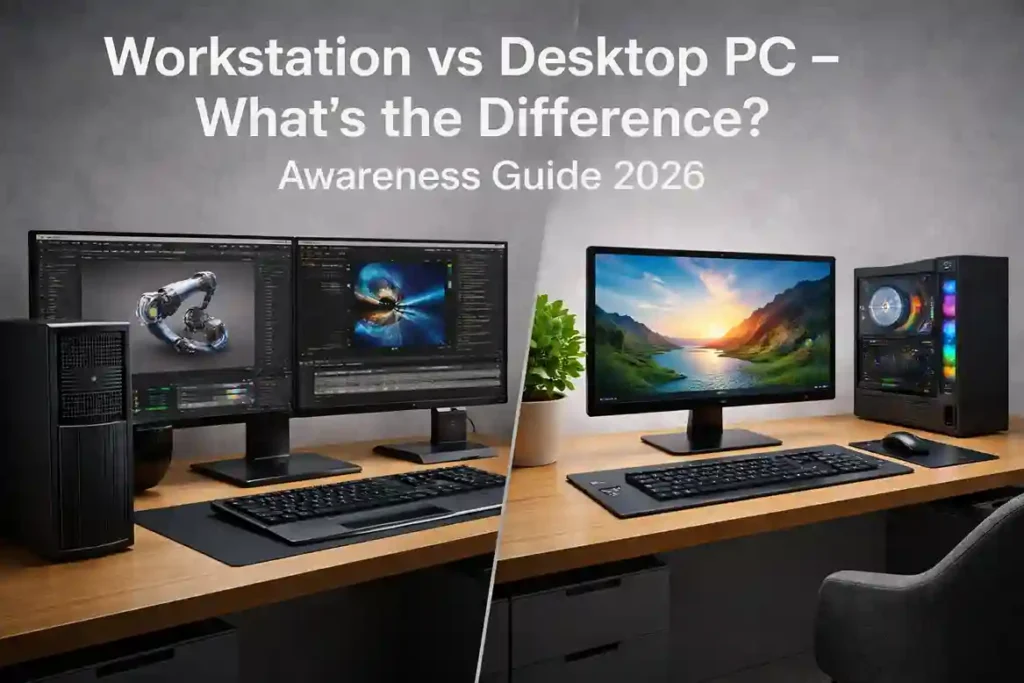
Choosing between a workstation and a desktop PC is one of the most common challenges faced by businesses, professionals, and power users in 2026. While both may look similar from the outside, their internal architecture, performance capabilities, reliability, and intended use are very different.
This awareness guide explains the real, up-to-date differences between workstations and desktop PC, helping you make an informed decision based on performance, workload, and long-term value.
What Is a Desktop PC?
A desktop PC is designed for general computing tasks such as:
- Office work
- Internet browsing
- Accounting software
- Basic design work
- Home and educational use
Desktop PC are widely used in offices, schools, and homes due to their affordability and versatility.
Key Characteristics of Desktop PC
- Consumer-grade processors
- Integrated or entry-level graphics
- Standard RAM (non-ECC)
- Cost-effective design
- Suitable for daily workloads
Popular search terms:
- Desktop PC for office use
- Best desktop computer Pakistan
- Office desktop PC
What Is a Workstation?
A workstation is a high-performance computer built specifically for heavy, professional workloads that demand reliability, precision, and sustained power.
Workstations are used in:
- Engineering
- Architecture
- AI & data science
- 3D rendering
- Video production
- Scientific research
Key Characteristics of Workstations
- High-core CPUs (Intel Xeon / high-end Core / AMD Ryzen Pro)
- Professional GPUs (NVIDIA RTX A-series)
- ECC memory support
- Enterprise-grade components
- ISV software certification
Popular search terms:
- Workstation PC Pakistan
- Best workstation for design
- Workstation vs PC difference
Workstation vs Desktop PC – Core Differences (2026)
1. Processor (CPU)
Desktop PCs
Workstations
- Intel Xeon / high-end Core i7, i9
- AMD Ryzen Pro / Threadripper
- Built for continuous heavy workloads
2. Graphics (GPU)
Desktop PCs
- Integrated graphics
- Consumer GPUs (GeForce series)
Workstations
- Professional GPUs (NVIDIA RTX A-series)
- Certified drivers for professional software
- Higher stability and precision
3. Memory (RAM)
Desktop PC
- Standard DDR4 / DDR5 RAM
- No error correction
Workstations
- ECC RAM (Error-Correcting Code)
- Prevents data corruption
- Essential for mission-critical tasks
4. Storage Performance
Desktop PC
- SATA SSD or NVMe
- Limited drive expandability
Workstations
- Multiple NVMe drives
- RAID support
- Higher sustained read/write speeds
5. Reliability & Stability
Workstations are built to:
- Run 24/7
- Handle complex calculations
- Maintain stability under heavy loads
Desktop PCs are ideal for standard daily use but not for continuous high-stress environments.
6. Software Certification
Desktop PC
- No professional software certification
Workstations
- Certified for:
- AutoCAD
- SolidWorks
- Adobe
- MATLAB
- AI & simulation software
This ensures fewer crashes and optimized performance.
7. Security & Manageability
Workstations
- Enterprise-level security
- TPM, BIOS protection
- Remote management features
Desktop PC
- Basic security features
Who Should Choose a Desktop PC?
A desktop PC is ideal if you need:
- Office productivity
- Accounting & ERP systems
- Web-based applications
- Email & documentation
- Cost-effective computing
Perfect for:
- Small offices
- Education
- Home users
Who Should Choose a Workstation?
A workstation is the right choice if you work with:
- AI model training
- Machine learning
- 3D modeling
- Video rendering
- Engineering simulations
- Big data processing
Perfect for:
- Professionals
- Designers
- Engineers
- Corporate & enterprise users
Cost vs Value – 2026 Perspective
While workstations cost more initially, they offer:
- Longer lifespan
- Better stability
- Fewer failures
- Higher productivity
For professional workloads, a workstation is an investment, not an expense.
Why Businesses Prefer Workstation in 2026
Modern enterprises choose workstations because:
- AI and data workloads are increasing
- Downtime is costly
- Software demands are higher
- Precision and reliability matter
Why Buy Workstation & Desktop PC from HCOM Distributors
HCOM Distributors provides:
- 100% Original Systems
- Workstations & desktops from leading brands
- Official warranty
- Corporate and bulk supply
- Expert consultation
- Nationwide delivery in Pakistan
We help businesses select the right system for the right workload.
Click Here to have a complete lookup on Workstation and Desktop PC.
Final Thoughts
In 2025, the difference between a workstation and a desktop PC is clearer than ever.
If your work is professional, demanding, or mission-critical — a workstation is the right tool.
If your needs are general and productivity-focused — a desktop PC is a smart, cost-effective choice.
Understanding these differences ensures better performance, longer system life, and smarter investment.

